7-step visual guide

You talk naturally.
Talk Assist handles the language.

Choose the situation, set both languages, add what you want to achieve, then start the conversation. Talk Assist listens, translates and speaks on your behalf while keeping you in control.

Real-time conversation Natural voice You stay in control
Pick a situationRestaurant, taxi, hotel and more.
Choose languagesYour language + the other person’s.
Add your goalTell the AI what you want to achieve.
Start talkingLet Talk Assist manage the exchange.
How it works

From “I need help” to a complete conversation

Follow the flow below. Each step mirrors what you see in the app, so the first conversation feels familiar before you even start it.

Step 01

Choose the situation

Start by telling Talk Assist where the conversation is happening. The situation gives the AI useful context before anyone speaks.

Choose a common scenario quicklyUse a custom situation when needed
01
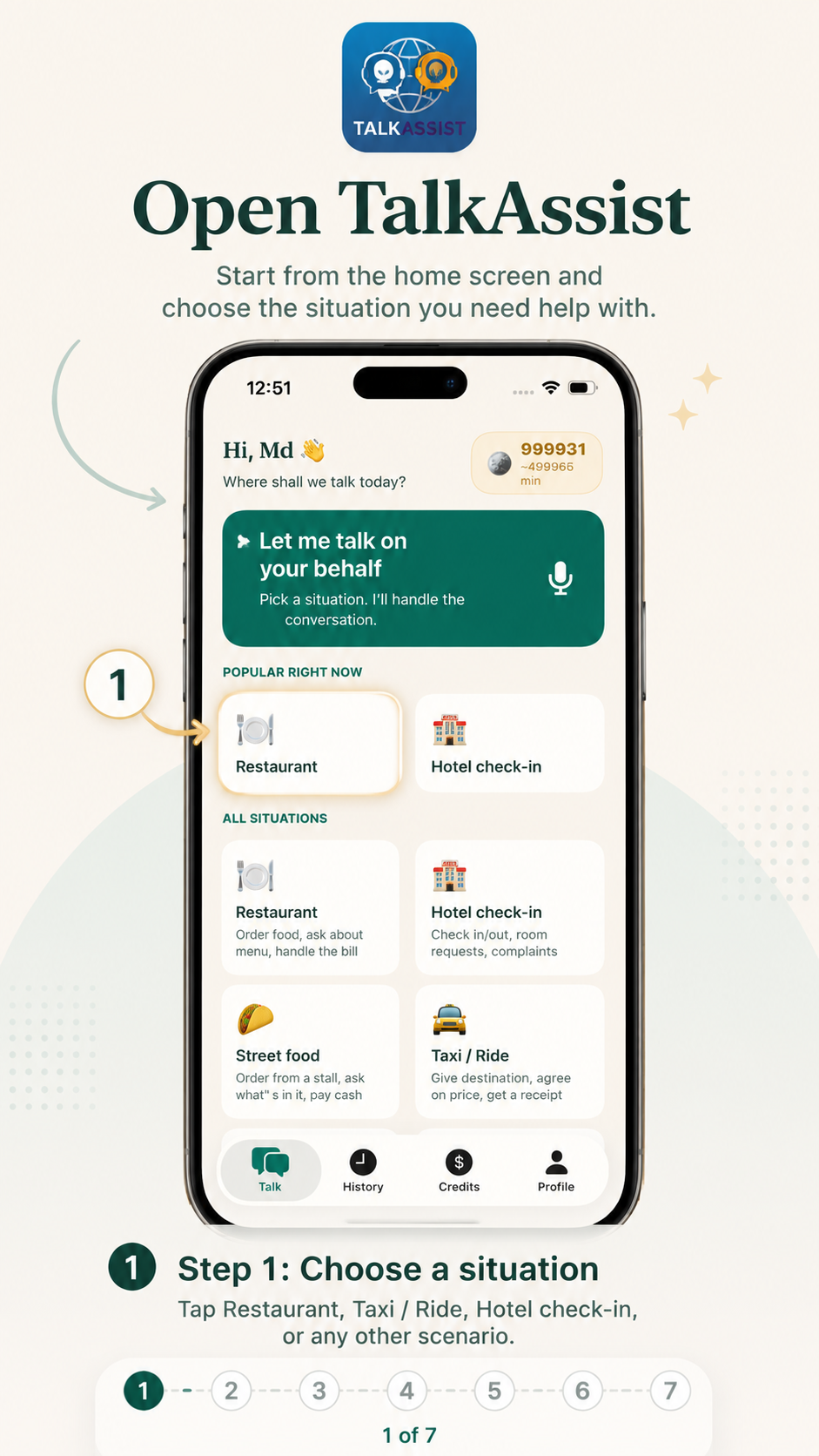
Talk Assist step 1: choose a conversation situation
Why this mattersContext helps Talk Assist respond more naturally.
Step 02

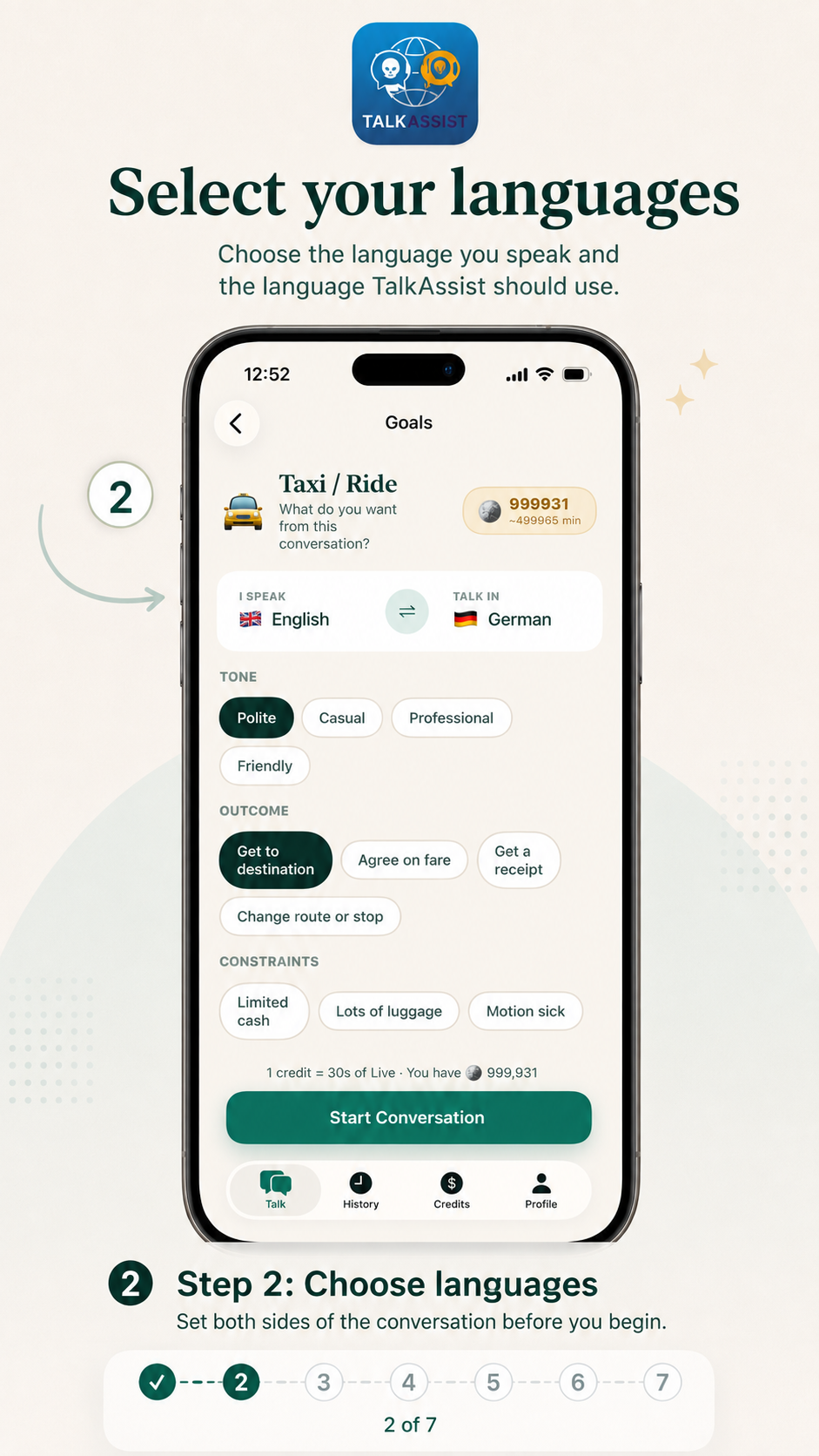
Choose both languages

Set the language you speak and the language the other person speaks. Talk Assist uses both sides throughout the live conversation.

Set your own language onceSwitch the other language whenever you travel
02
Talk Assist step 2: select your language and the other person's language
Simple setupTwo languages. One shared conversation.
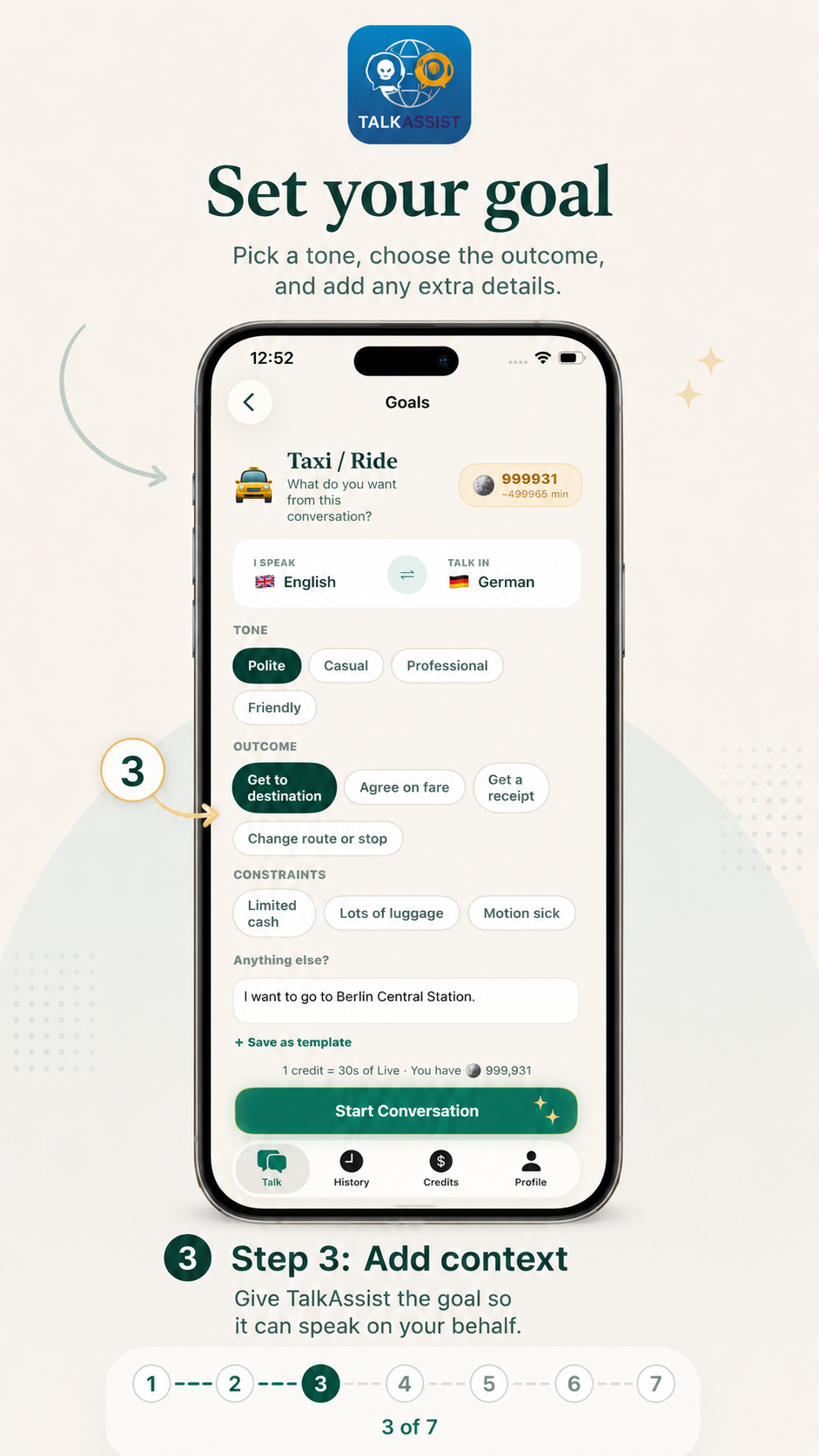
Step 03

Add context and your goal

Tell Talk Assist what you are trying to achieve. Choose a tone, select an outcome and add anything important the AI should know.

Make the request clearer before speakingKeep important details available to the AI
03
Talk Assist step 3: add context, tone and desired outcome
More useful answersGive the AI the goal before the conversation begins.
Step 04

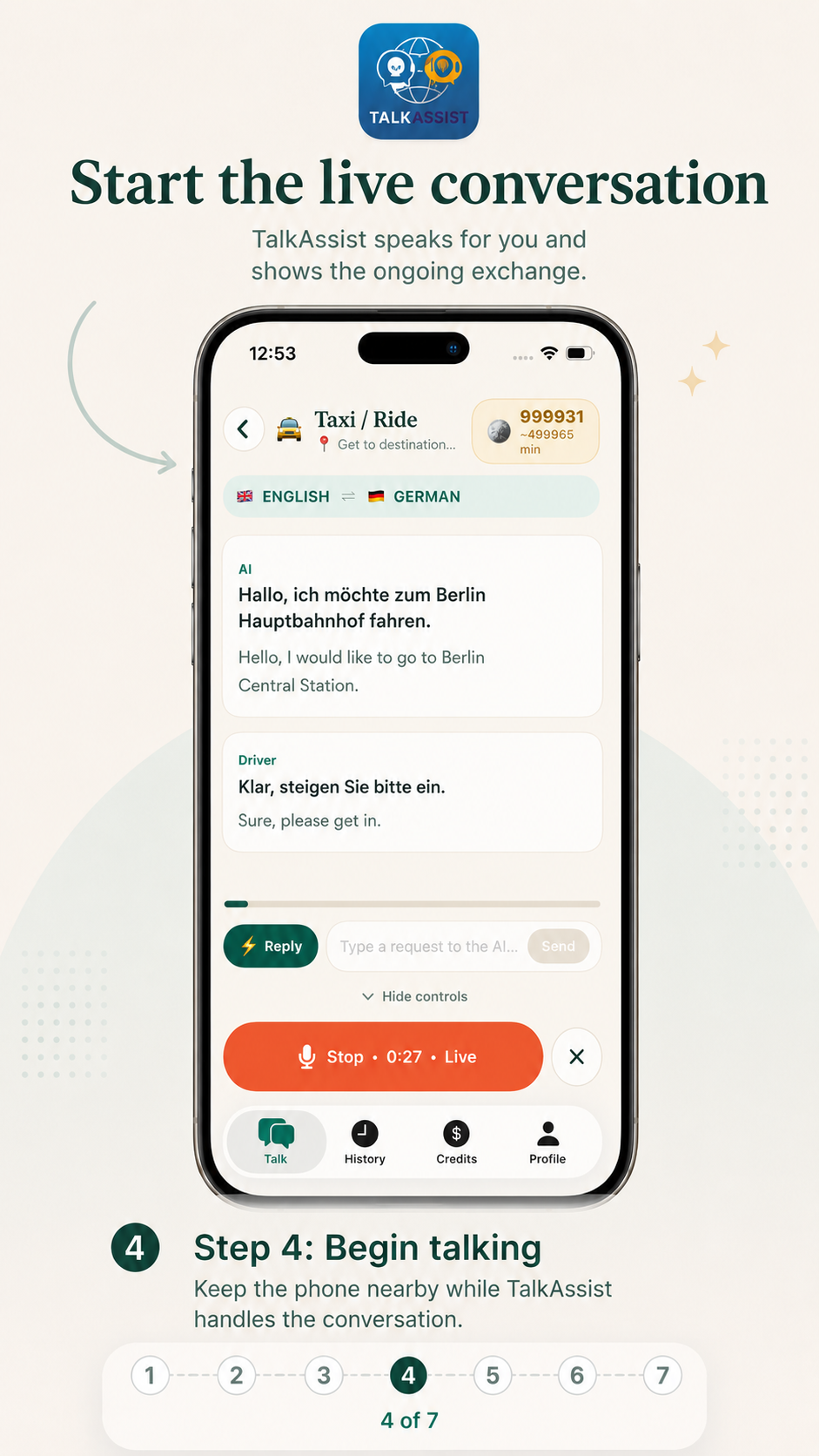
Start the live conversation

Keep the phone between both people and let Talk Assist manage the back-and-forth. It listens, translates and speaks in the selected language.

No passing typed translations back and forthFollow the conversation on screen as it happens
04
Talk Assist step 4: live AI conversation in progress
The main momentTalk Assist becomes the speaking bridge between both people.
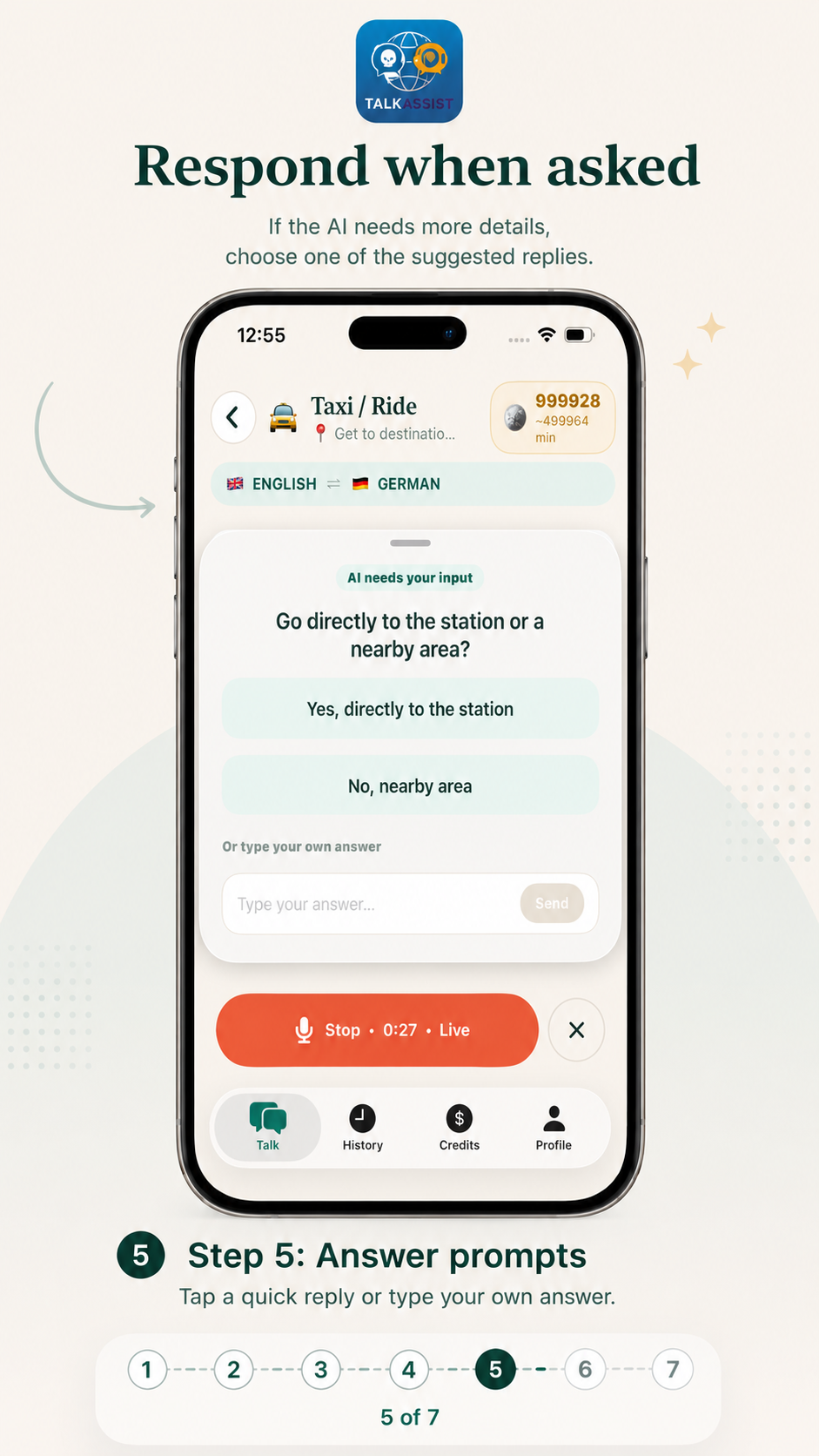
Step 05

Answer quick prompts

If Talk Assist needs something from you, it can pause and ask. Tap a suggested reply or type your own response without breaking the flow.

Choose a suggested answer in one tapWrite your own answer when the situation is specific
05
Talk Assist step 5: answer an AI prompt with suggested replies
You stay involvedThe AI can ask you instead of guessing.
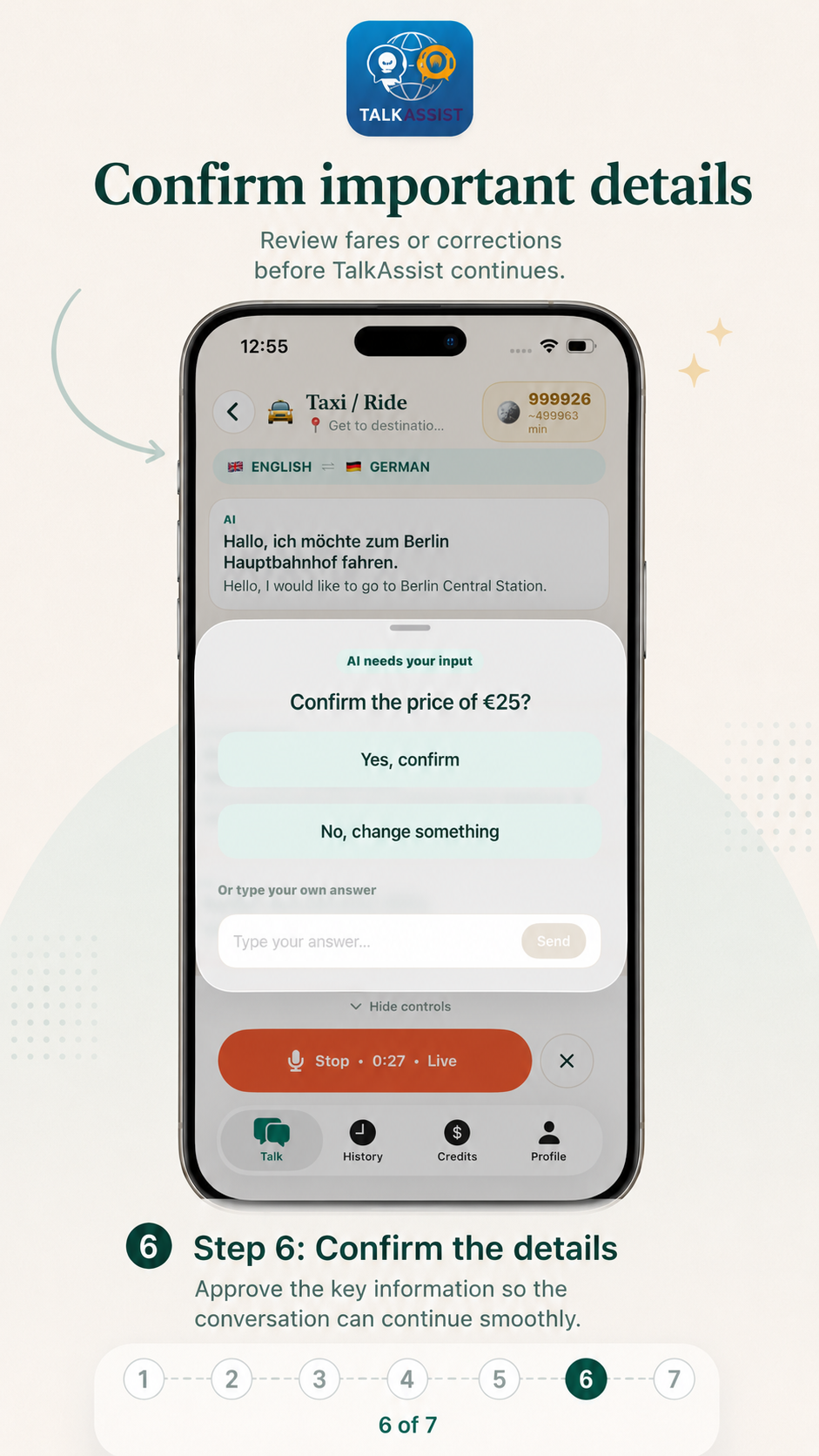
Step 06

Confirm important details

When a price, destination, correction or other key detail matters, review it and confirm before the AI moves forward.

Reduce misunderstandings on important detailsCorrect something before the conversation continues
06
Talk Assist step 6: confirm important conversation details
Control stays with youApprove the important parts before moving on.
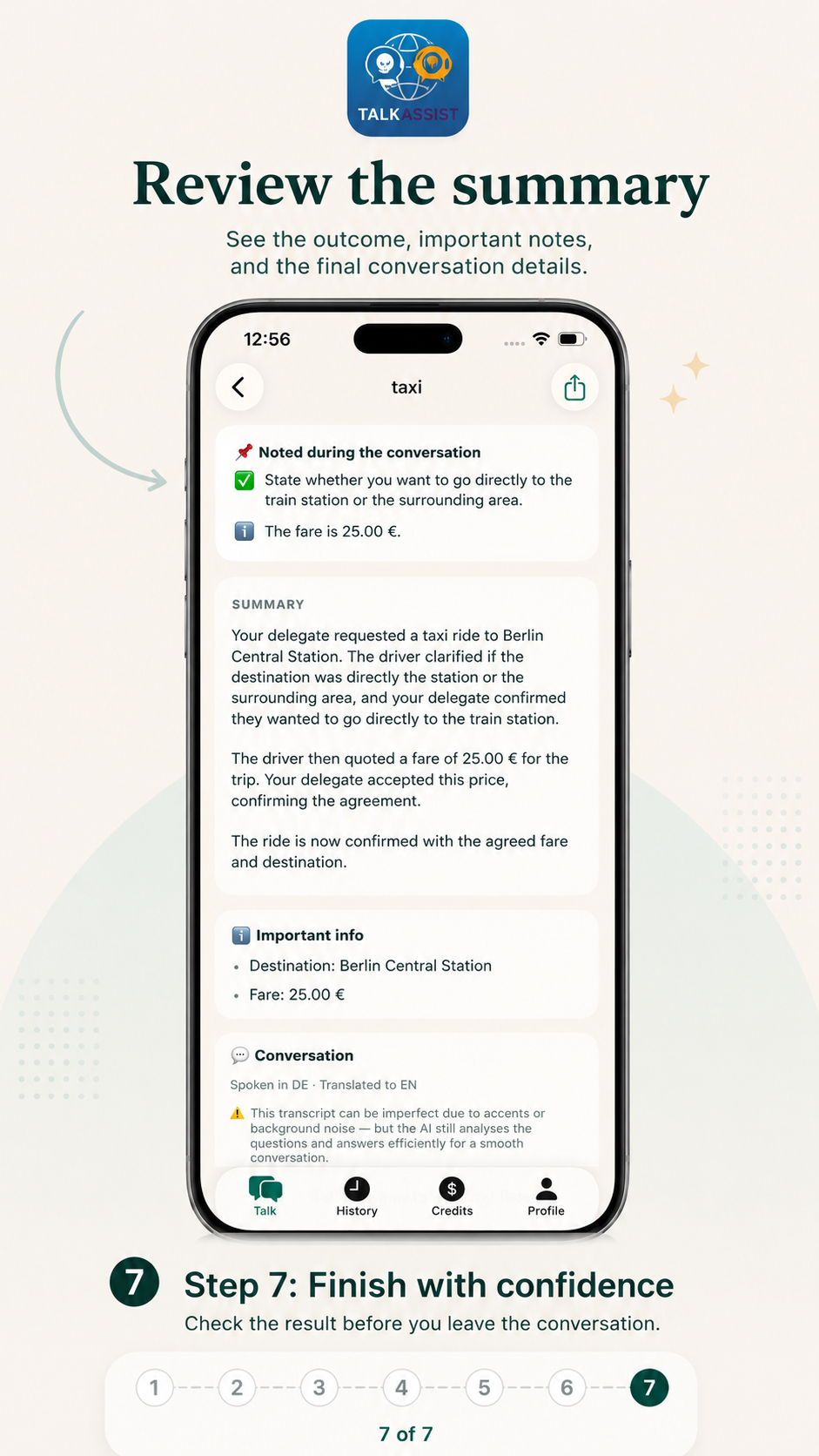
Step 07

Review the conversation summary

When the conversation ends, check the result and the important notes Talk Assist captured so you leave knowing what was agreed.

See the outcome at a glanceKeep important information from the conversation
07
Talk Assist step 7: review the conversation summary and notes
Finish with clarityLeave the conversation with the key result in front of you.
Made for real conversations

Keep the phone nearby. Let the conversation feel human.

Talk Assist works best when the phone can clearly hear both people. You can follow the exchange on screen while the AI helps with the language barrier.

Keep it closePlace the phone where both people can be heard.
Speak naturallyShort, clear sentences make live exchanges easier.
Check key detailsUse confirmation prompts for important information.
Use the summaryReview the result before ending the interaction.

Your next conversation can start with one tap.

Try Talk Assist AI on iPhone or Android and use it the next time language gets in the way of a simple everyday conversation.